Using the Import Base Data function and the Price per Chain option, chain prices can be imported and linked to existing chains and products in the system.
The function is accessed via the main menu:
Administration / Mass Update / Import Base Data
Start by downloading the template file that will be used for the import.

Required Columns for Importing Chain Prices
The following columns must be completed in order to import chain prices:
Column B – Article Number
(Argus article number)Column F – Chain No.
(On the Chain No. tab in the Excel file you can see which chains are set up. In the Excel file, enter the number corresponding to the chain you want to add a chain price for.)Column L – Retailer Price
(Price per unit is entered. Use a comma,as the decimal separator, not a period.)Column M – Sales Price / Consumer Unit
(Consumer price – optional)Column P – Valid From Date
(The date from which the price applies. Date format:2025-06-02)Column Q – Valid To Date
(The date until which the price applies. Date format:2025-12-31)
When all required information has been entered, save the Excel file.
Importing into Argus
Click on Price / Chain in Argus. Klicka på alternativet Pris/kedja i argus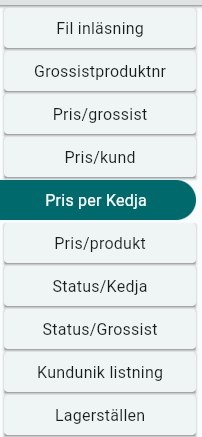
Click Import and select the Excel file you have completed.

When the dialog below appears, click Reload Data.


Review and Confirm the Import
You will now see a preview of what will be imported.
Verify that all information is correct.
Click Import if everything looks correct.

If the Registration Error column shows 1, the row was imported successfully.
If the column shows 0, the row was not imported.
This may occur, for example, if the information already exists in Argus.

Was this article helpful?
That’s Great!
Thank you for your feedback
Sorry! We couldn't be helpful
Thank you for your feedback
Feedback sent
We appreciate your effort and will try to fix the article